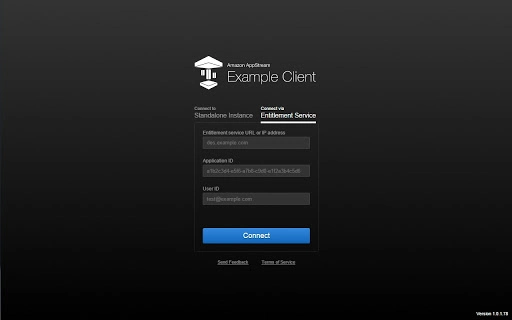

Stream High-Performance Apps from the Cloud
Overview
Amazon AppStream is a cloud-based application streaming service designed to deliver high-performance software to a wide range of devices without requiring powerful local hardware. By running applications on AWS infrastructure, it enables users to access resource-intensive programs through standard devices such as personal computers, tablets, and mobile phones. This approach eliminates hardware limitations, allowing applications to scale dynamically based on demand, regardless of the client device’s capabilities. The service is particularly valuable for organizations seeking to deploy complex software—such as CAD tools, data analytics platforms, or design suites—without requiring users to invest in high-end workstations.
Target users include professionals in engineering, design, finance, and enterprise IT, as well as educational institutions and remote teams. The service supports streaming from Microsoft Windows Server 2008 R2, ensuring compatibility with legacy and modern Windows-based applications. With support for FireOS, Android, iOS, macOS, Windows, and Chrome OS, Amazon AppStream ensures broad accessibility across platforms. Real-world use cases include remote access to specialized software for field engineers, secure deployment of sensitive applications in regulated industries, and enabling collaborative workflows across distributed teams.
Key Features & Capabilities
- Cloud-Based Application Streaming – Applications run entirely on AWS infrastructure, delivering real-time performance to end-user devices regardless of their local specs.
- Multi-Platform Support – Stream applications to devices running Windows, Mac, Linux, Android, iOS, and Chrome OS, including Chromebooks and Chrome Web Browsers.
- Scalable Infrastructure – Leverage AWS’s cloud computing power to scale application performance and capacity on demand, adapting to user load and usage patterns.
- Partial or Full Streaming – Choose to stream the entire application or only specific components, offering flexibility in deployment and optimization.
- Integrated SDK for Developers – A developer toolkit enables seamless integration and configuration of applications for cloud streaming, simplifying deployment workflows.
- Secure Remote Access – Applications remain hosted in the cloud, reducing the risk of data exposure on endpoint devices.
These capabilities allow organizations to deliver high-end software to users without requiring them to upgrade their local hardware. For example, a design team can access a graphics-intensive application on a low-powered Chromebook, while IT administrators can securely manage access to enterprise software across geographically dispersed teams. The SDK also supports integration with existing development pipelines, enabling automated deployment and version control.
User Interface, Workflow & Performance
The user interface of Amazon AppStream is not directly accessible to end-users, as it functions as a backend service for application delivery. Instead, users interact with the streamed applications through their device’s native interface, which appears as if the software were installed locally. Navigation and workflow are consistent with the original application’s design, ensuring minimal learning curve for users. The service abstracts the complexity of cloud execution, providing a seamless experience across devices.
Workflow efficiency is enhanced by the ability to launch applications instantly from the cloud, with no local installation required. Users can access their software from any supported device with an internet connection, enabling flexible work environments. Performance is dependent on network conditions and the underlying AWS infrastructure, but the service is designed to minimize latency and maintain responsiveness. The developer did not specify resource usage details, and exact performance metrics were not provided. However, the architecture is optimized for low-latency streaming, and stability is maintained through AWS’s robust cloud infrastructure.
Compatibility & System Requirements
Amazon AppStream supports a wide range of operating systems, including Windows, Mac, Linux, Chrome OS, Android, and iOS. This broad compatibility ensures that users can access streamed applications from virtually any modern device. The software version is 2.0, with an installation size of 200 MB, indicating a lightweight client component required on the end-user device.
Exact system requirements were not listed by the developer. Compatibility information is limited to the supported platforms, and no specific hardware specifications such as CPU, RAM, or GPU requirements were provided. Users should ensure their devices meet the minimum standards for running the target application, as determined by the application itself rather than the streaming client. The service relies on a stable internet connection and modern web browsers or native apps for optimal functionality.
Pros and Cons
Pros
- Delivers high-performance applications to low-spec devices via cloud streaming
- Supports a wide range of operating systems and devices, including Chromebooks and mobile platforms
- Scalable cloud infrastructure enables dynamic resource allocation based on demand
- Enhanced security through centralized application hosting and data retention
- Flexible deployment options with support for partial or full application streaming
- Free to use, reducing entry barriers for developers and organizations
Cons
- No detailed system requirements or hardware specifications provided
- Performance is highly dependent on network stability and bandwidth
- Requires a stable internet connection for consistent user experience
- End-users do not have local access to application files or data
- Limited control over the underlying cloud environment for non-technical users
FAQ Section
Is Amazon AppStream compatible with Chromebooks?
Yes, Amazon AppStream supports Chrome OS and Chrome Web Browsers, enabling application streaming directly to Chromebooks.
Can I use Amazon AppStream without an AWS account?
Amazon AppStream requires AWS infrastructure for deployment and operation. A valid AWS account is necessary to configure and manage streaming sessions.
Is the software free to use?
Yes, Amazon AppStream is available at no cost, though usage of underlying AWS resources may incur charges based on compute, storage, and data transfer.
Does Amazon AppStream support offline usage?
No, Amazon AppStream requires an active internet connection to stream applications. Offline access is not supported.
What types of applications can be streamed?
Amazon AppStream supports applications running on Microsoft Windows Server 2008 R2, including legacy and modern desktop software such as CAD tools, data analytics platforms, and enterprise applications.
Final Thoughts
Amazon AppStream offers a powerful solution for organizations aiming to deliver high-performance desktop applications to users across diverse devices without hardware constraints. Its ability to stream complex software from the cloud makes it ideal for professionals in design, engineering, and IT, as well as educational and remote work environments. The service’s broad platform support, scalability, and security benefits position it as a compelling choice for modern application delivery. While network dependency and lack of detailed system requirements are considerations, the overall value remains strong—especially given the free access and seamless integration with AWS infrastructure.
For teams seeking to eliminate hardware limitations and enable flexible, secure access to demanding software, Amazon AppStream is a forward-thinking tool. Download Amazon AppStream now.







